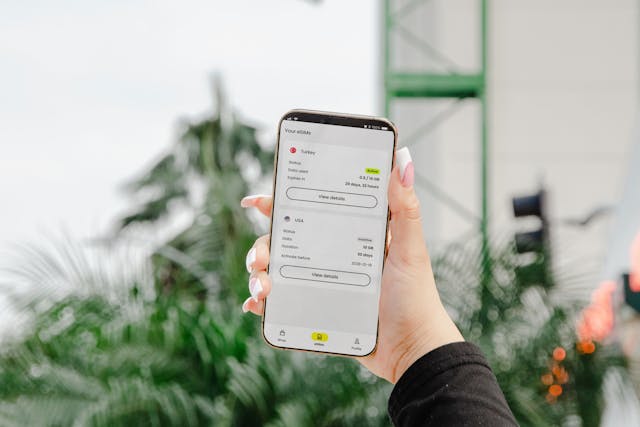
If you are wondering can you use an eSIM on a locked phone, the honest answer is: sometimes, but only in limited cases. A carrier-locked phone usually works only with that carrier’s network, whether you are using a physical SIM or an eSIM. That means a locked device may accept an eSIM from the same carrier, but it often will not let you activate an eSIM from a different provider, including many travel eSIMs. Apple’s support documentation says only your carrier can unlock an iPhone, and Apple specifically points users to unlocking before activating an eSIM from another carrier.
That distinction matters because eSIM is just the technology. The real issue is the carrier lock, not whether the SIM is physical or digital. So if your goal is to switch networks, add a travel plan, or use an international provider, the first thing to check is whether your phone is locked.
Can you use an eSIM on a locked phone?
Yes, but usually only with the carrier your phone is locked to. If your phone is locked, you may still be able to activate that carrier’s own eSIM or move your existing line to eSIM. What you usually cannot do is add an eSIM from a competing carrier until the phone is unlocked. Apple’s support page is explicit: if you need to activate an eSIM from a carrier other than your current carrier, the device must first be unlocked by that carrier.
This is why so many people run into problems when they buy a travel eSIM and try to install it on a financed or contract phone. The phone may support eSIM perfectly, but the network restriction can still block activation. On iPhone, Apple describes eSIM as a built-in digital SIM that can store multiple plans and makes international use easier, but that flexibility still depends on carrier support and lock status. Google says Pixel phones can also hold multiple eSIM profiles and be used for travel, but that does not override any carrier lock your device may have.
Carrier locks, network restrictions, and why they matter
A locked phone is tied to one carrier’s network. Carriers commonly do this for devices sold on installment plans, promotions, or contract terms. The lock is designed to keep the phone on that carrier’s network until the eligibility rules for unlocking are met.
That is why people searching for can you use an eSIM card on a locked phone often get confused. The phrase sounds like the issue is the eSIM itself, but it is not. An eSIM is simply the digital version of a SIM. Apple defines eSIM as an industry-standard digital SIM built into the phone, while Samsung describes Galaxy eSIM the same way and notes that service can vary by country and carrier. In other words, eSIM can make switching and activation easier, but it still depends on carrier permission.
This becomes especially important for travel. eSIM is attractive because it can let you add a second plan, avoid swapping cards, and activate service quickly. Apple highlights international travel as a major eSIM benefit, and Google notes that Pixel users can manage international plans while traveling. But if the phone is locked, that flexibility may be limited to the original carrier’s ecosystem.
How to check if your phone is locked
Before you buy a new plan, check the lock status first.
On iPhone
Apple makes this simple. Go to:
Settings > General > About > Carrier Lock
If the phone says “No SIM restrictions,” the iPhone is unlocked. If it shows a carrier restriction, the device is locked. Apple’s official unlock article also confirms that only your current carrier can remove that lock.
If you want to use an eSIM from another network, this is the fastest check to do before purchasing anything.
On Samsung phones
Samsung confirms that Galaxy devices support eSIM setup through Settings > Connections > SIM manager > Add eSIM, but Samsung also notes that eSIM service varies by country and carrier. That means eSIM compatibility alone does not guarantee your phone is unlocked. The most reliable way to confirm lock status on a Samsung phone is to check your carrier account, contact the carrier directly, or try adding service from another carrier if your provider allows it.
On Google Pixel and other Android phones
Google’s Pixel support explains that eSIM can be activated during setup or later in device settings, and Pixel phones can store multiple eSIM profiles. But, as with Samsung, eSIM support is not the same as being carrier-unlocked. If you are using a Pixel or another Android phone, verify the device status with your carrier before assuming a travel eSIM will work.
A good rule is this: first confirm the phone is unlocked, then buy the eSIM. That order prevents wasted time and refund requests.
How to use an eSIM on a locked phone
There are really only two realistic scenarios.
1. Use your current carrier’s eSIM
If your phone is locked but your current carrier supports eSIM, you may still be able to activate or transfer your line digitally. Apple lists several supported activation methods for iPhone, including carrier activation, QR code setup, app-based setup, and Quick Transfer when the carrier supports it. Samsung also lists QR code, manual entry, and simple setup options for supported carriers.
This is the best-case scenario for a locked device: same carrier, digital setup, no unlock needed.
2. Unlock the phone before adding a different eSIM
If you want to switch providers or use a third-party travel plan, you will usually need an unlocked phone first. This is the answer to can you use an international eSIM on a locked phone in most cases: not reliably, unless the phone is unlocked or the eSIM comes from the same locked carrier. Apple explicitly directs users to contact their carrier to unlock the phone before activating an eSIM from another carrier.
So while a locked phone can sometimes use eSIM, it usually cannot deliver the full flexibility people expect from eSIM.
How to unlock your phone for broader eSIM use
The official route is straightforward: contact your carrier.
Apple’s guidance is clear that Apple cannot unlock your iPhone for another carrier; only the carrier can do that, and it may take a few days. Once the carrier confirms the unlock, you can complete activation with a different SIM or move on to setting up a new eSIM.
Before you request an unlock, carriers often want you to meet certain requirements, such as:
- the phone being fully paid off
- the line being in good standing
- a minimum ownership or activation period being completed
- no fraud or loss flags on the device
Those exact rules vary by carrier, so the safest move is to check your provider’s unlock page or support team directly. After the unlock is approved, you can add a new eSIM using the carrier’s app, a QR code, manual entry, or the device’s built-in activation flow, depending on your phone and provider. Apple documents all of those iPhone setup methods, and Samsung documents similar options on Galaxy devices.
Choosing the right eSIM setup after your phone is unlocked
Once your device is unlocked, you have more flexibility. You can keep your main line and add a travel eSIM, move your number to eSIM, or choose a setup that makes it easier to switch between physical and digital service based on your needs. Apple notes that iPhone can store multiple eSIMs, and Google says Pixel can store multiple eSIM profiles and, in some cases, use two at once.
That is where a resource like eSIM to Physical can fit naturally into the process. After unlocking, many users are not just deciding which plan to buy. They are also deciding how they want to manage their connectivity going forward: digital only, physical SIM backup, travel-first setup, or a more flexible hybrid approach.
If your audience includes travelers, dual-line users, or people moving between carriers, this section is where you can guide them toward the best setup for convenience, compatibility, and long-term flexibility.
Conclusion
So, can you use an eSIM on a locked phone? Yes, but usually only in a limited way. A locked phone may let you use an eSIM from the same carrier, but it often will not let you activate an eSIM from a different provider until the device is unlocked. The restriction comes from the carrier lock, not from eSIM technology itself.
The smartest path is simple: check whether your phone is locked, confirm whether your current carrier supports eSIM, and only then decide whether you need to request an unlock. Once the phone is unlocked, eSIM becomes much more useful for switching networks, adding travel plans, and managing multiple lines more easily. If flexibility is your goal, unlocking first is usually the key step that makes everything else work.